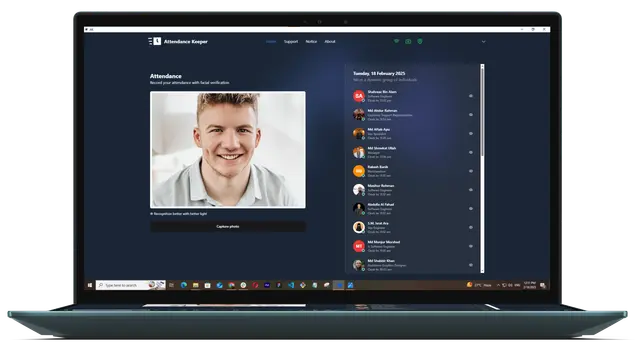
Meet Attendance Keeper on your desktop
Always there when you need it - Attendance Keeper sits quietly in your workflow. No tab-hopping required. Streamline workforce tracking with automated reports, clock actions, and employee insights directly from your desktop
5000+
Active Users
100k+
Downloads
4.8★
Rating
**Select operating system to download.
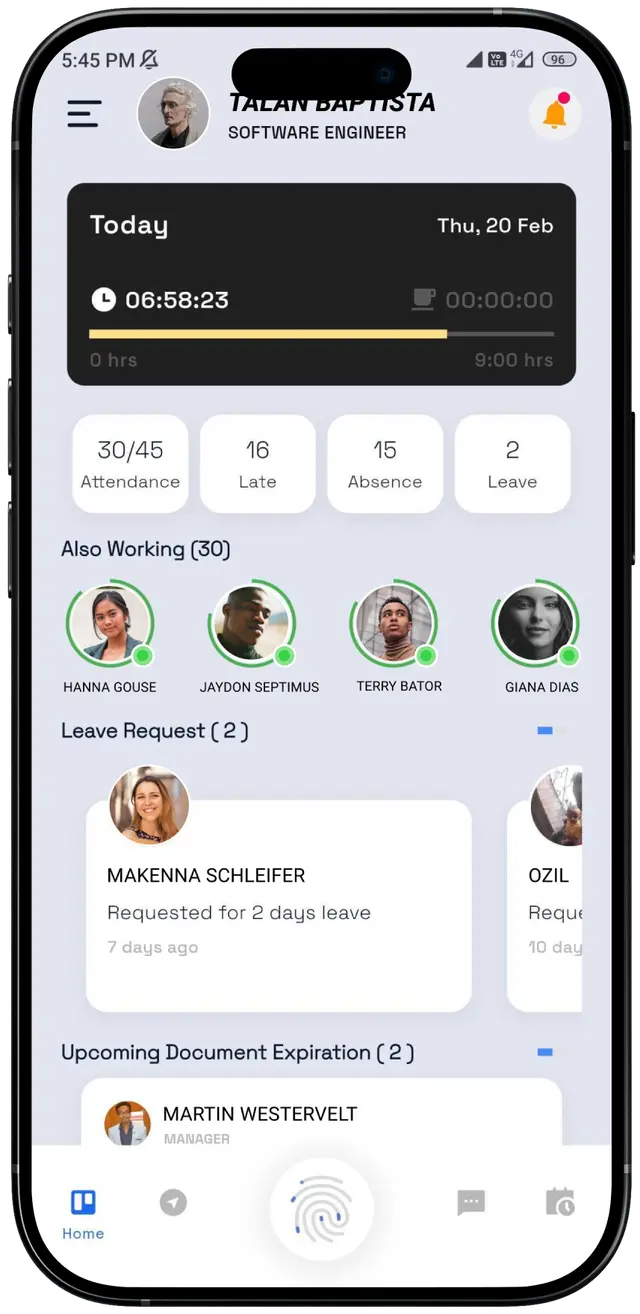
Attendance Keeper in your pocket
Maximize your HR capabilities across all devices: Our mobile app is readily downloadable from both the App Store and Google Play Store. Stay connected, verify location check-ins, view schedules, and log timesheets on the go.
5000+
Active Users
100k+
Downloads
4.8★
App Store Rating
Download now on :
Scan the QR code below or tap to download from stores.
Recommended System Requirements
Attendance Keeper System Requirements
For optimal performance, Attendance Keeper recommends using devices that meet or exceed the following system requirements. Ensuring your device meets these specifications will provide a smoother and more reliable experience.
For Android
- OSAndroid 5.0 (Lollipop) or later
- CPUARMv7 processor with Neon support, or x86 processor
- RAM2GB
- GPUOpenGL ES 2.0 compatible
- StorageMinimum 60MB of free space
- Other RequirementsSupports Android SDK level 16 (Jelly Bean) or later
For iOS
- OSiOS 9.0 or later
- CPU64-bit Apple A9 processor or later
- RAM2GB
- GPUMetal enabled
- StorageMinimum 60MB of free space
- Other RequirementsXcode 11.0 or later
For Windows
- OS64-bit Windows 10
- CPUIntel i5 3570K or equivalent
- RAM8 GB
- GPUNvidia GeForce GTX 970 / AMD Radeon R9 290
- GPU RAM8 GB
- Hard DriveMinimum 75 GB of free space
FAQ
Frequently Asked Questions
Find answers to the most common questions. Still curious? We’d love to hear from you.
Ready To Scale Your Business?
Get in touch with our enterprise team to discuss custom solutions, rollout support, and pricing built for your organization.
- 24/7 priority support with a one-hour response
- A dedicated account manager for your team
- Custom integrations, SSO, and audit logs
- A 99.99% uptime SLA in writing
Any Questions Ask?
Tell us about your team and we will take it from there.